
How to Install JoyiStore
[using Safari]
Install JoyiStore
1. Open the JoyiStore profile
Tap the button below from Safari on the device where you want to install JoyiStore.
2. Review the download prompt
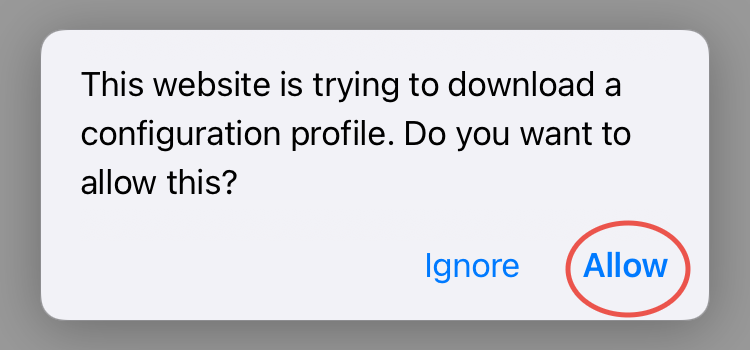
If Safari asks whether you want to download a configuration profile, confirm only after checking that you intended to start the JoyiStore installation.
3. Open Settings
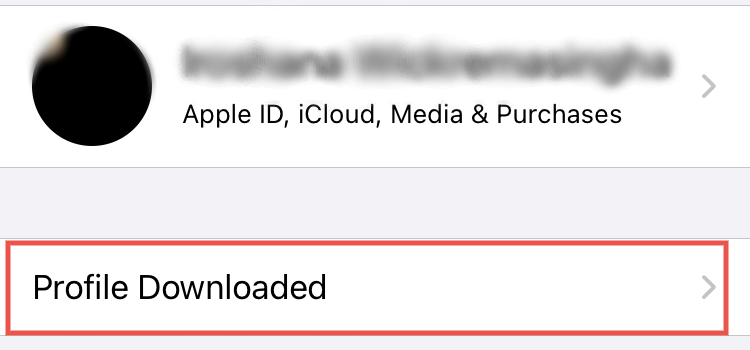
Open Settings. Depending on your iOS version, a Profile Downloaded item may appear near the top of Settings. You can also check Settings → General → VPN & Device Management.
4. Review and install
Open the downloaded profile, review the displayed profile details, then tap Install if you want to continue. iOS may request your device passcode.
5. Finish setup
After iOS confirms the profile is installed, tap Done and return to the Home Screen to open JoyiStore.
How to remove it
If you later want to remove the profile, go to Settings → General → VPN & Device Management, select the relevant profile, and choose the removal option shown by iOS.
Guide reviewed September 25, 2026.